Explore the full product on Elitate.
Best AI Tools for Students in 2026 (Free & Powerful)
A practical, in-depth guide to AI tools that actually help students study: what each product is, who makes it, and how to use it without drowning in options.

If you are trying to study faster without burning out, the right tools matter more than the longest feature list. Most students do not need ten apps. They need a small set that covers three jobs: turning course material into practice, making sense of long readings, and keeping the semester organized.
This guide walks through five products we see students actually stick with. For each one, you will get a plain-English description of what it is and who built it, then concrete ways to use it in a real week of classes. No affiliate angle, no hype: just enough detail to decide what belongs in your stack.
Quick Picks
- Best all-in-one for studying: Elitate
- Best for grounded answers from your own sources: NotebookLM
- Best for general writing and brainstorming: ChatGPT
- Best for long research context: Claude
- Best for notes and organization: Notion AI
1) Elitate (Best for Student Workflows)
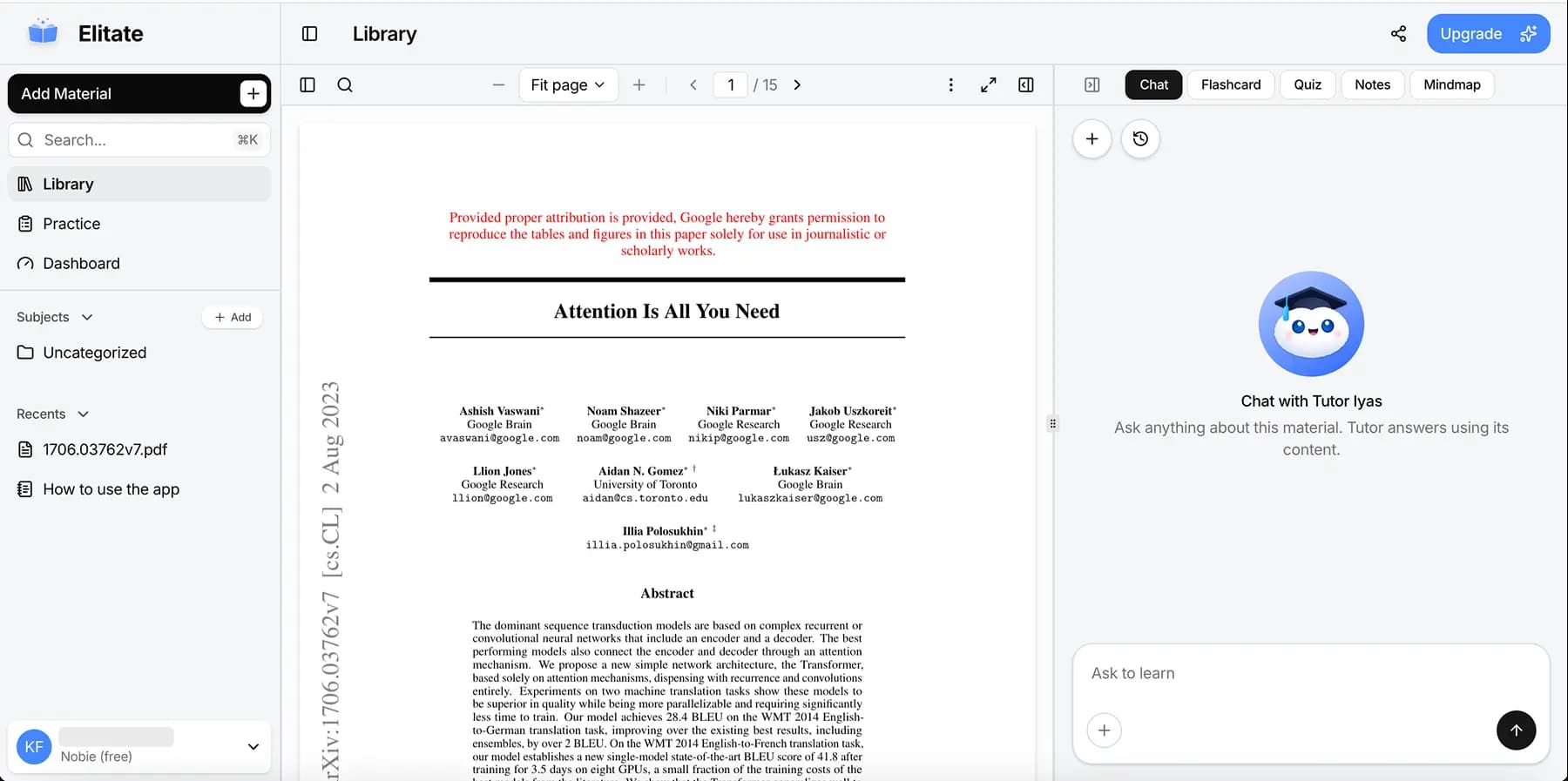
Elitate is our own product, and we built it because generic chatbots were never quite aligned with how students actually revise. Most AI tools will answer almost anything you type; that is useful, but it is easy to drift away from your syllabus, your PDFs, and your exam scope. Elitate is meant to sit closer to the loop: you bring the material, and the app helps you turn it into something you can rehearse and measure.
In practice, that means less time copying prompts and more time in a single flow, from upload to questions you can actually test yourself on. You are not juggling a separate flashcard app, a separate “ask my PDF” tool, and a separate habit tracker unless you want to.
Why we put Elitate first
We lead with Elitate here because this article is written for people who care about outcomes, not demos. If your goal is “I have two weeks until exams and I need a repeatable routine,” a tool that is shaped around coursework usually beats a general assistant you have to steer by hand.
- The product is aimed at student outcomes, not open-ended chat.
- Uploading material and moving into practice lives in one place.
- You spend less time tab-hopping between “read,” “summarize,” and “quiz me.”
Core student use cases
- Turn lecture notes, slides, or readings into flashcards and quizzes you can run through before tests.
- Build structured study sessions when you need a plan, not just a one-off answer.
- Ask context-aware questions that refer back to what you uploaded, so answers stay tied to your course.
- Use progress as a signal for what to revisit instead of guessing what you forgot.
2) NotebookLM
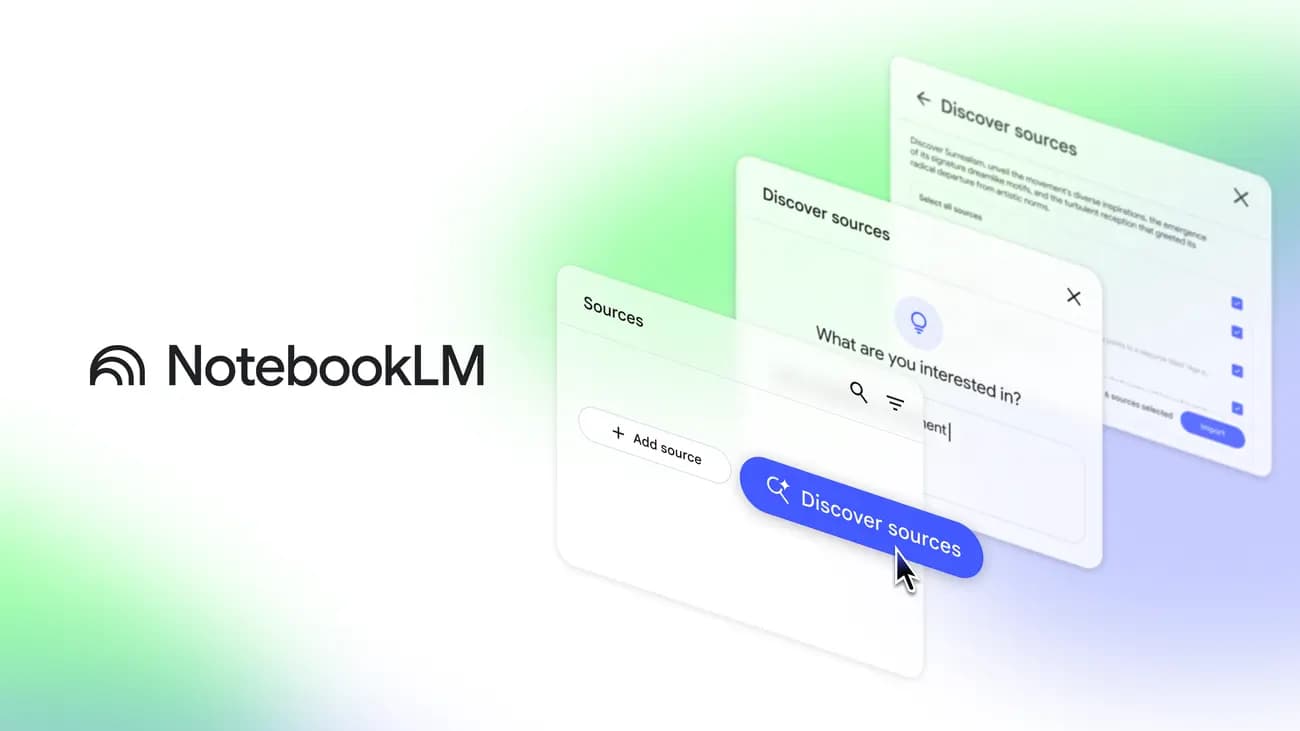
NotebookLM (often referred to as Google NotebookLM; LM stands for “language model”) is a research and note-taking web app from Google Labs. It uses artificial intelligence, specifically Google’s Gemini models, to help you work with a bounded set of sources you provide: PDFs, Google Docs, slides, links, and other files you add to a “notebook.” The assistant is designed to summarize, compare, and answer questions while grounding its replies in those documents, rather than freelancing from the whole internet.
That grounding is the point. When you are reading a brutal fifty-page paper or a dense deck for one course, you often want explanations and connections that still respect that text. NotebookLM is built around that constraint. Google has continued to expand what you can feed in (including richer file types and workflows such as deeper research-style reports in newer iterations), but the student-friendly core is unchanged: your sources in, structured help out.
Students often pair it with a dedicated study or practice tool. NotebookLM is excellent for sense-making and exploration; it is not a full spaced-repetition or exam-drill system on its own.
What students use it for day to day
- Long readings and decks: Pull out themes, timelines, and definitions from the exact PDFs or slides you added.
- Plain-language explanations: Ask for a simpler walkthrough of a tough section, with answers that point back to where the notebook saw the idea.
- Audio overviews: Turn a set of sources into a listenable “deep dive” you can play while commuting, which helps when your eyes are tired but your ears are free.
Watch out for
- Output quality tracks source quality. Scanned pages with bad OCR, missing chapters, or outdated files will confuse any model.
- Treat it as a thinking partner on your documents, not a substitute for your course’s required readings or your instructor’s expectations.
- If you need drills, streaks, and structured review, you will still want something built for practice (for example, a workflow like Elitate’s).
3) ChatGPT
ChatGPT is a conversational assistant from OpenAI. It runs on the company’s GPT family of large language models and is probably the most recognizable AI product in education right now: a single chat window where you can ask for explanations, drafts, code help, study plans, and more. Unlike NotebookLM’s notebook model, ChatGPT’s default experience is broad: it can draw on general training and, depending on your plan and settings, browsing or file upload features, so it feels flexible, but you have to be deliberate if you want answers scoped to one course packet.
For students, that flexibility is the main strength. You can ask the same tool to simplify a concept, generate ten practice questions, tighten an essay paragraph, or role-play an oral exam, often without leaving the thread.
Best use cases
- Explain it like I am new here: Step through hard topics at different levels until something clicks.
- Practice generation: Turn bullet notes into question banks or mock oral prompts.
- Writing support: Outline, rewrite, and stress-test arguments for essays and reports, always with your own fact-checking on top.
Watch out for
- Hallucinations and outdated info still happen. Verify anything that matters for a grade against your materials.
- Without careful prompting or uploaded context, answers can feel generic and miss nuance your professor cares about.
- Academic integrity rules vary by school; use it to learn, not to shortcut assigned work your course forbids.
4) Claude
Claude is a family of AI assistants and models developed by Anthropic, a research company focused on capable but controllable systems. You interact with Claude much like ChatGPT: natural-language chat, file uploads on many plans, and strong performance on long, messy documents (syllabi, paper dumps, technical readings, and multi-file projects where you want the model to keep more context in view at once).
Students who live in PDFs and primary sources often reach for Claude when a single conversation needs to juggle length, tone, and careful comparison (for example, two theorists, two lab handouts, or two versions of a draft).
Best use cases
- Big-picture summaries of long readings, with room to ask follow-ups that reference earlier parts of the thread.
- Compare and contrast arguments, papers, or your own notes side by side.
- Study outlines and structured plans built from larger source sets you paste or upload.
Watch out for
- Like any frontier model, it can still be wrong or overconfident on facts, so double-check citations and dates.
- Plans and limits change over time; what matters is whether your tier covers the file sizes and usage you need during crunch weeks.
5) Notion AI
Notion is an all-in-one workspace (notes, databases, wikis, lightweight project boards) from Notion Labs. Notion AI is the built-in assistant layer: it works inside your pages and databases, summarizing meeting notes, drafting sections, filling tables, and suggesting next steps, so the AI is tied to the same place you already keep reading lists, assignment trackers, and group project hubs.
For students, Notion AI shines when the pain is not “I need one more chatbot” but “my semester is scattered across half-finished docs and I need structure.” The AI is most convincing when it can see your workspace context rather than a one-off pasted paragraph.
Best use cases
- Turn raw lecture notes into cleaner sections, to-do lists, or revision checklists on the same page.
- Draft weekly plans or project timelines that live next to your actual task database.
- Build reusable templates for labs, essays, or group roles so you are not reinventing the wheel each term.
Watch out for
- Notion AI is a paid add-on on many setups; budget it like any other subscription.
- The value depends on whether you will actually maintain Notion as your home base. If you will not, a lighter notes app plus a general chat model may be enough.
How to Choose the Right Tool
You can treat this as a decision tree instead of a personality quiz:
- Need one integrated study flow from material to practice: choose Elitate.
- Need Q&A and summaries strictly tied to files you control in a notebook: choose NotebookLM.
- Need broad brainstorming, drafting, and “explain anything” chat: choose ChatGPT.
- Need heavy long-document work and nuanced comparison: lean toward Claude (many students keep either ChatGPT or Claude as their general model).
- Need organization across pages, databases, and plans: choose Notion with Notion AI.
Recommended Student Stack (2026)
If you are building a stack from zero, a pattern we see working is:
- Elitate for the core loop: material in, practice and progress out.
- NotebookLM when a course throws brutal readings or slides and you want grounded exploration on those files.
- One general model (ChatGPT or Claude) for everything else: quick explanations, drafting, ad-hoc questions.
- Notion + Notion AI only if Notion is already (or will be) where your semester actually lives.
The goal is not to collect logos. The goal is a repeatable weekly rhythm you can keep when assignments pile up, with fewer tools and clearer jobs for each one.
Final Thoughts
In 2026, students are not short on AI products. They are short on clarity: which tool does which job, and where generic help stops being enough. The products that last in a real semester are the ones that respect your time and your sources, whether that is a notebook locked to your PDFs or a study app built around your own uploads.
If you want a study-first workflow, start with the piece that connects your material to actual practice, then add NotebookLM or a general model only when you feel a real gap. You can always expand the stack later; it is harder to simplify once you are juggling six tabs every night.